The idea
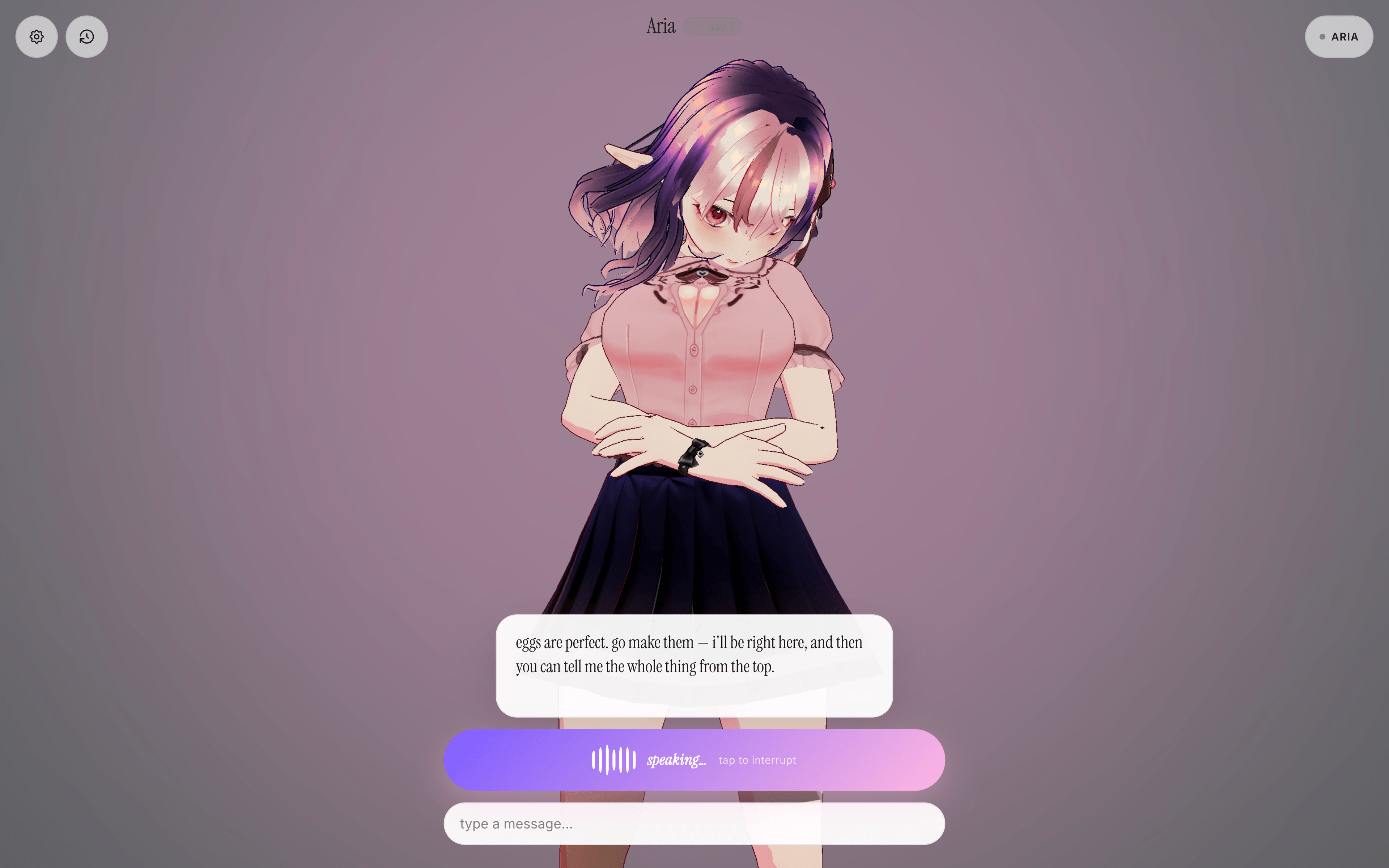
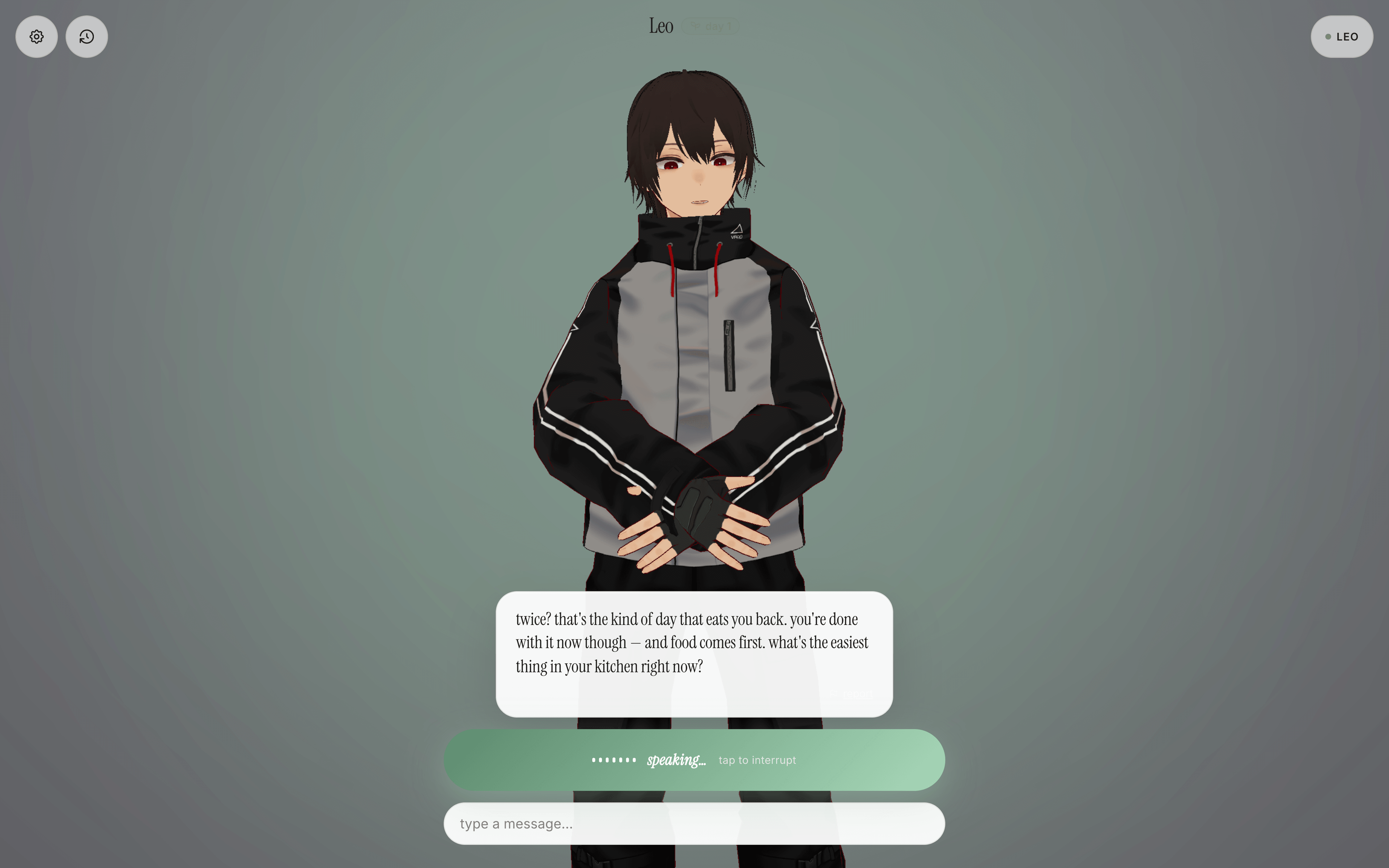
Most chat interfaces are a text box. OpenTomo is a companion you hold a conversation with: you speak or type, and it replies out loud through a character that actually reacts while it talks — mouth shapes driven by the audio, expression following the tone.
The goal was to make the exchange feel like talking to someone rather than querying something.
The experience
Each turn is designed to feel immediate and natural:
- Speak or type — choose whichever input feels comfortable
- Get a voiced reply — the response arrives as both text and speech
- See the character react — mouth movement and expression follow the reply
- Continue the conversation — recent context carries across the session
The visual feedback matters as much as the answer. Listening, thinking, speaking, and error states are distinct, so the character never feels frozen while the visitor waits.
Character over interface
The conversation stays at the centre of the screen, with controls kept secondary. The avatar provides presence without turning the experience into a game or covering the response with decorative UI.
The companion is designed for multilingual conversations and includes safety boundaries for its replies. Voice is optional, and the complete interaction still works through text.
Try the public preview at opentomo-chat.vercel.app.
Designing the moments between replies
A spoken conversation has more intermediate states than a text chat. The visitor needs to know when the microphone is listening, when speech was understood, when the companion is preparing an answer, and when audio is ready. Without that feedback, a short pause feels like a broken control.
OpenTomo gives each state a visible response while keeping the character present. The interface does not replace the avatar with a loading screen or push the conversation away. That continuity is what makes separate actions feel like one turn.
Interruptions are treated as normal rather than exceptional. A visitor can stop playback, switch back to typing, or continue without voice. The experience does not require a microphone to remain understandable.
Memory with a clear boundary
Recent context makes follow-up questions useful, but endless memory would make the companion unpredictable and difficult to explain. The experience therefore frames continuity around the current conversation rather than implying that the character permanently knows the visitor.
This boundary also shapes the copy. The companion can refer back to what was said in the session, while avoiding claims that it remembers a person beyond what the interface actually supports.
What the preview demonstrates
The public preview focuses on the complete conversational loop: text and voice input, a voiced answer, synchronized expression, visible state changes, and session context. It is intentionally a focused companion experience rather than a general-purpose assistant dashboard.
That narrower scope gives the interaction room to feel polished. The test is not how many settings fit on the page; it is whether a visitor understands what to do, trusts the current state, and wants to continue the conversation.