The idea
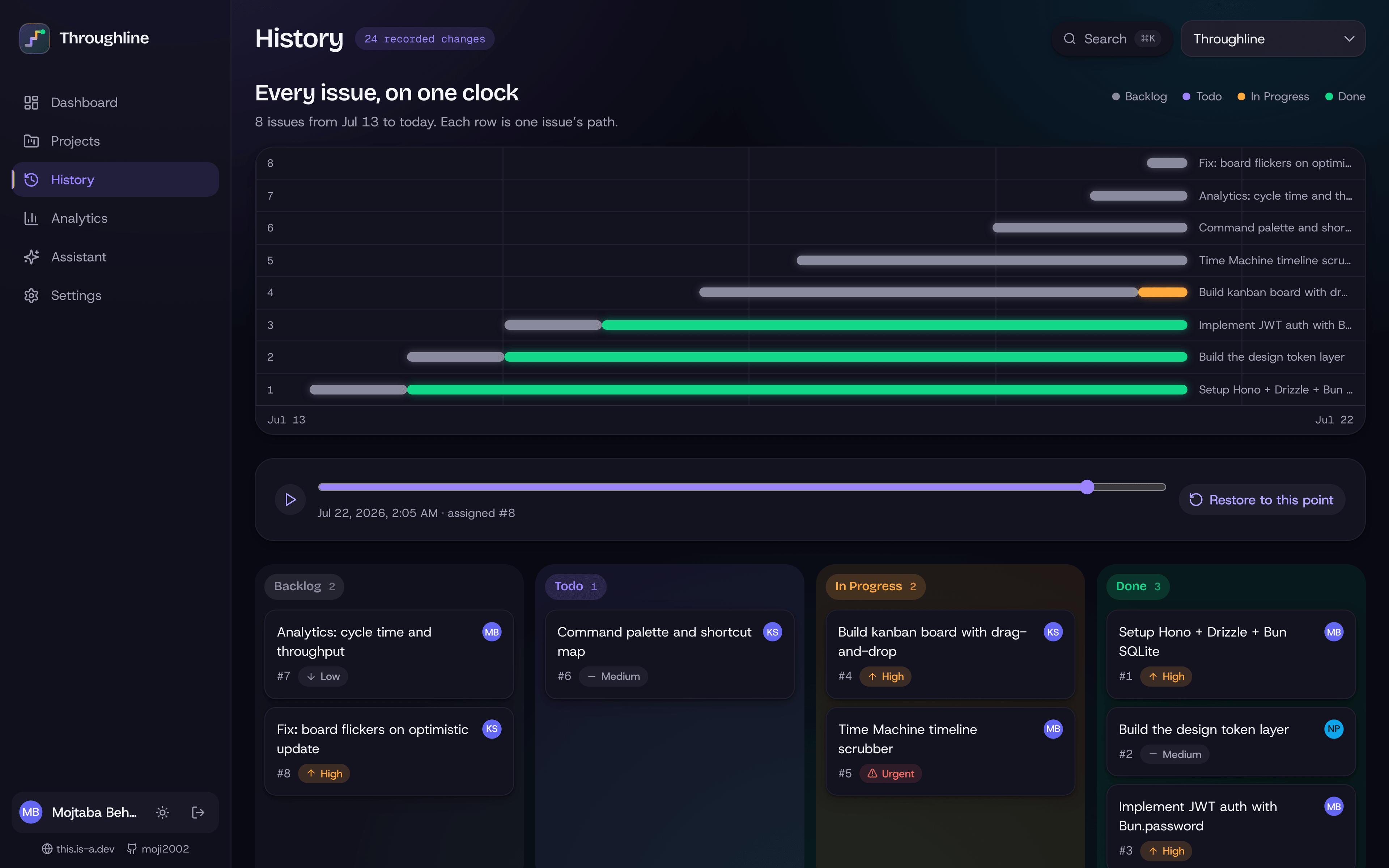
Most trackers tell you what a board looks like now. Throughline keeps the whole path: teams can rewind the board, see how work and priorities changed, and restore an earlier state without erasing the decisions made after it.
What's in it
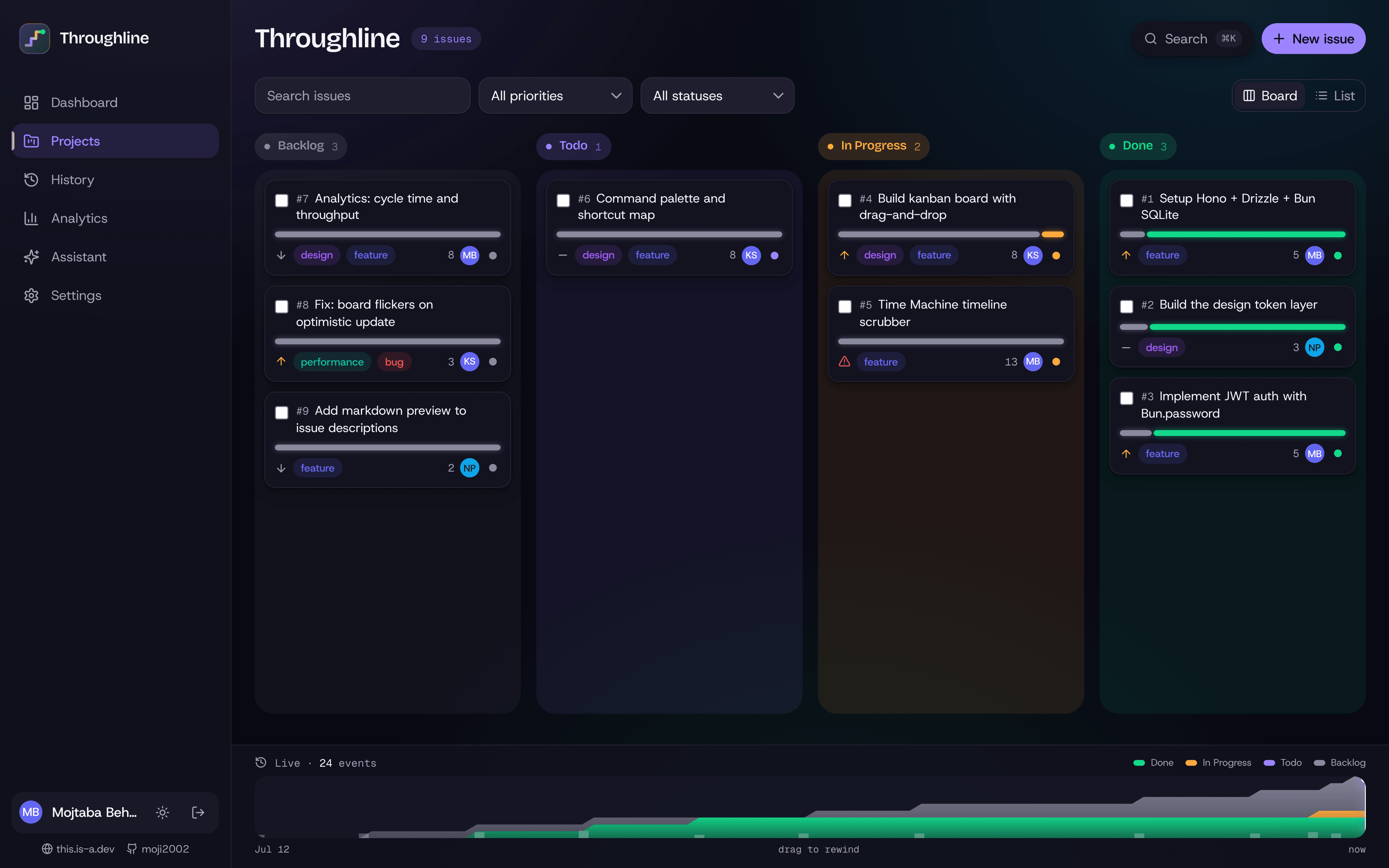
- Board and issues — drag-and-drop kanban with story points, priorities, labels, assignees, subtasks and comments
- List view with grouping by status, assignee or priority, plus saved filters
- History — a timeline you can scrub, replay, and restore
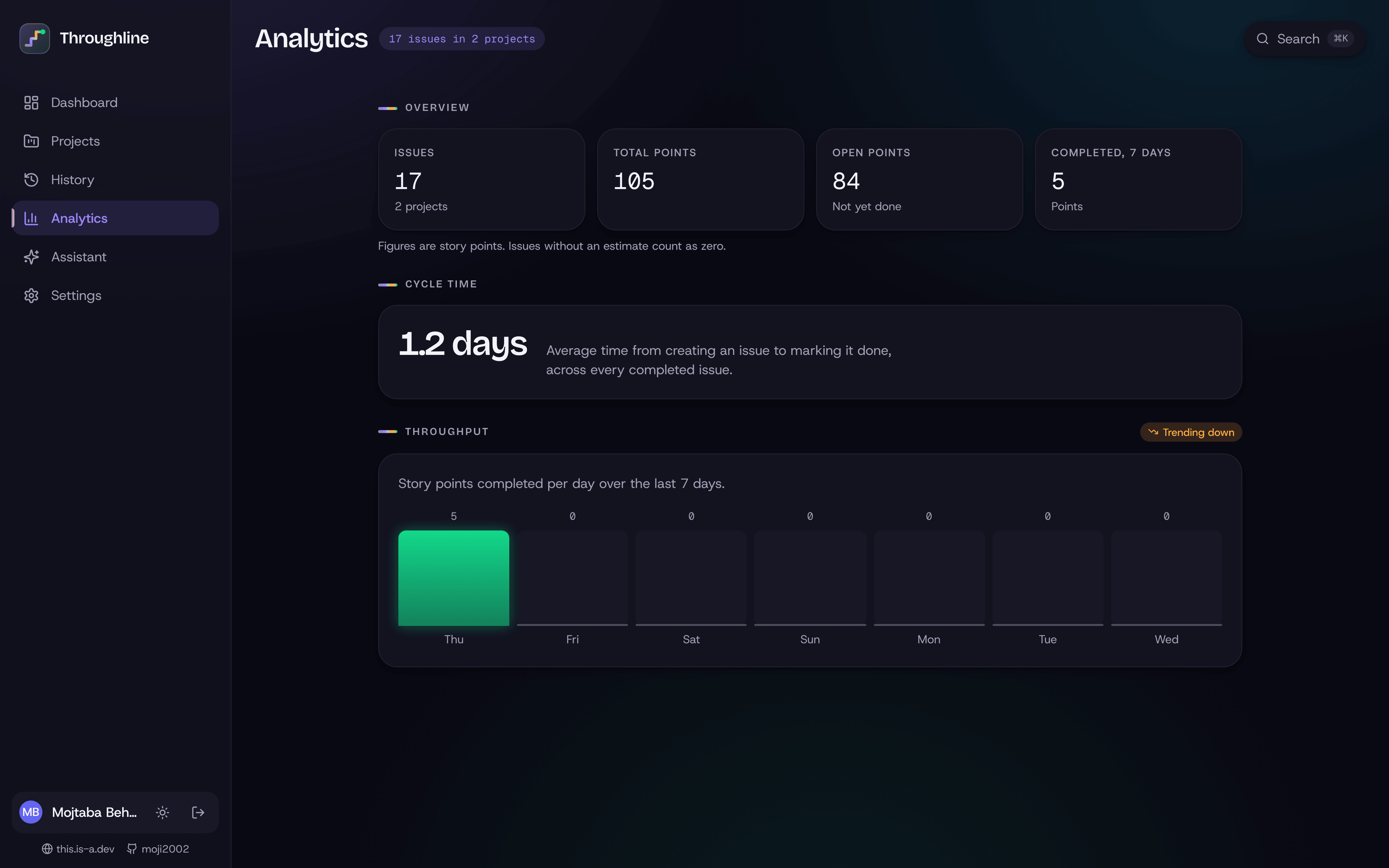
- Analytics — cycle time and weekly throughput
- Command palette (
⌘K) and single-key shortcuts - Assistant — triage, issue breakdowns, and concise summaries
Why the timeline matters
Project history is usually scattered across activity feeds and individual issue pages. Throughline turns it into a first-class view of the board, so a team can answer practical questions: when did this scope change, why did this task move, and what did the sprint look like before the last reprioritisation?
Restoring a point in time is intentionally reversible. The team can explore alternatives without treating history like an undo button that destroys newer work.
Accessibility
Every board operation has a keyboard path, controls have clear labels, status and priority are never conveyed by colour alone, contrast works in both themes, and reduced-motion preferences are respected.
Throughline is a private project; this page focuses on what the product does rather than how its source is structured.
A day on the board
The default view supports the ordinary rhythm of planning work: create an issue, add context, assign it, move it through the board, and break it into subtasks when the scope becomes clearer. List view offers the same work in a denser form for triage and review.
Keyboard shortcuts and the command palette keep frequent actions close. They are accelerators, not hidden requirements; every operation remains available through visible controls. Saved filters let different roles return to the slice of the project they actually manage.
Comments and issue changes appear in the same history, so discussion is not separated from the decisions it produced.
Replay as a review tool
The timeline is useful even when nobody intends to restore the board. During a retrospective, a team can replay the week and see when work entered the sprint, where priorities shifted, and which issues stayed blocked. A project lead can move from a summary back to the exact state that produced it.
Restore is designed as an explicit action with context, not a casual scrubber side effect. Exploring history is safe; changing the present requires a clear decision. After a restore, the newer path still remains visible so the team can understand both versions of the story.
Analytics with context
Cycle time and throughput are presented beside the board rather than as a separate reporting product. The charts answer practical questions: how long work stays active, whether completion is becoming more predictable, and which periods deserve a closer look in the timeline.
The goal is not to score individuals. Metrics describe the flow of work and are most useful when a team can connect a change in the chart to the decisions and events that happened around it.